
Ministry PlannerMinistry Planner
FeaturesHow it worksPricingLive Demo
Log InGet started

Documents

Docs that live where your team works.

Real-time collaborative documents with version history, live planner blocks, and magic links — organized by team, searchable by everyone.

See it live in the demo Get started
Real-TimeCo-Editing
Magic LinksNo Login Sharing
Auto-SaveVersion History

Without Ministry Planner

✕Docs scattered across Google Drive, Dropbox, and email
✕No version control — someone overwrites the latest copy
✕Meeting notes live in someone’s notebook
✕Volunteer handbook is a PDF no one can find
✕No way to embed live service data in a document

With Ministry Planner

✓All docs in one place, organized by team
✓Automatic version history — preview and restore any version
✓Meeting notes with topics, agendas, and key decisions
✓Magic links let anyone view without an account
✓Live planner blocks pull real service data into docs
COLLABORATIVE EDITING

Google-Docs-style editing, built for ministry teams.

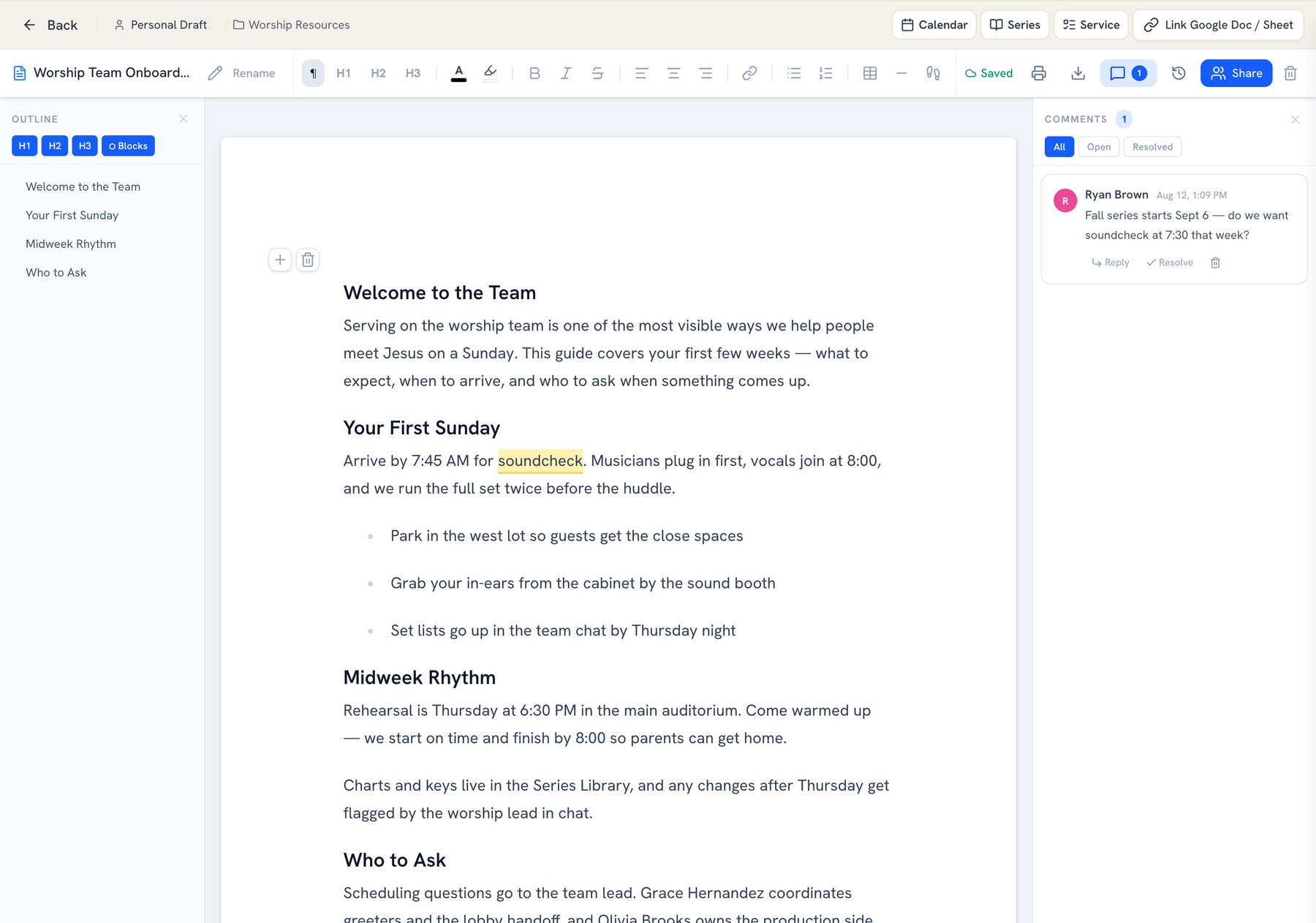
Write together in real time — edits sync instantly, comments live beside the text, and every change autosaves as you type. No more emailing drafts back and forth.
✓Real-time sync — everyone sees changes instantly
✓Inline comments anchored to the exact phrase
✓Rich-text toolbar with formatting, lists, and headings
✓Autosave with a document outline that builds itself
See collaborative editing live →
Documents · Worship Team Onboarding
Collaborative church document editor: a worship team onboarding doc with rich-text toolbar, auto-built outline, a highlighted phrase, and an inline comment thread beside the text
VERSION HISTORY

Every change saved. Any version restored.

Automatic version history saves as you go — no manual "Save As" copies cluttering your drive. Preview any past version and restore it with one click.
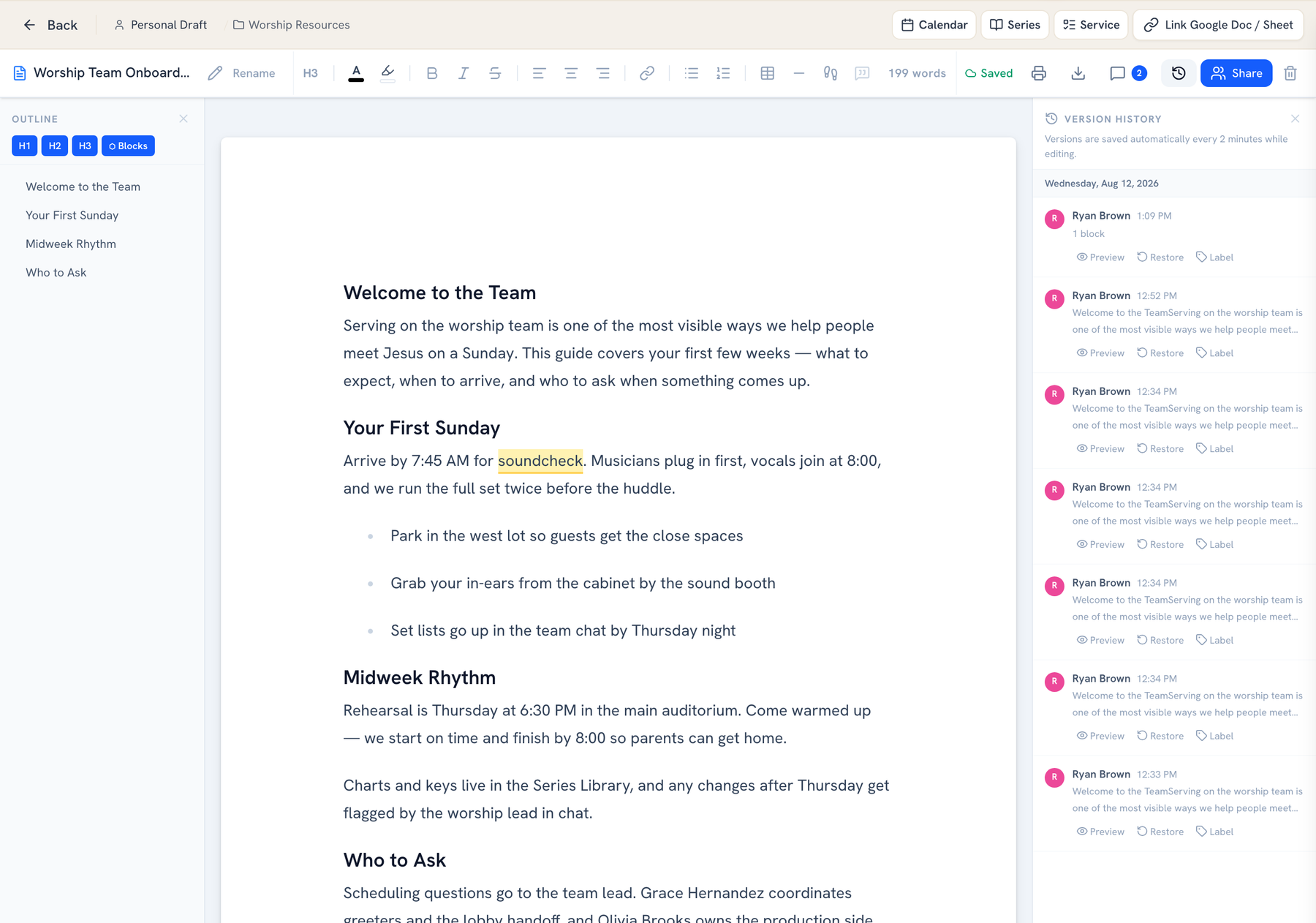
✓Automatic checkpoints every few minutes while editing
✓Preview any past version before restoring
✓See who made each change and when
✓Label milestones so you can find them later
See version history live →
Version History
Automatic document version history for ministry teams: a panel of timestamped checkpoints with author, content preview, and preview, restore, and label actions for each version
LIVE PLANNER BLOCKS

Documents that pull live data from your services.

Embed live planner blocks inside any document. Reference blocks pull scripture and service details straight off the calendar, and writable blocks sync your edits back to the planner — always current, never stale.
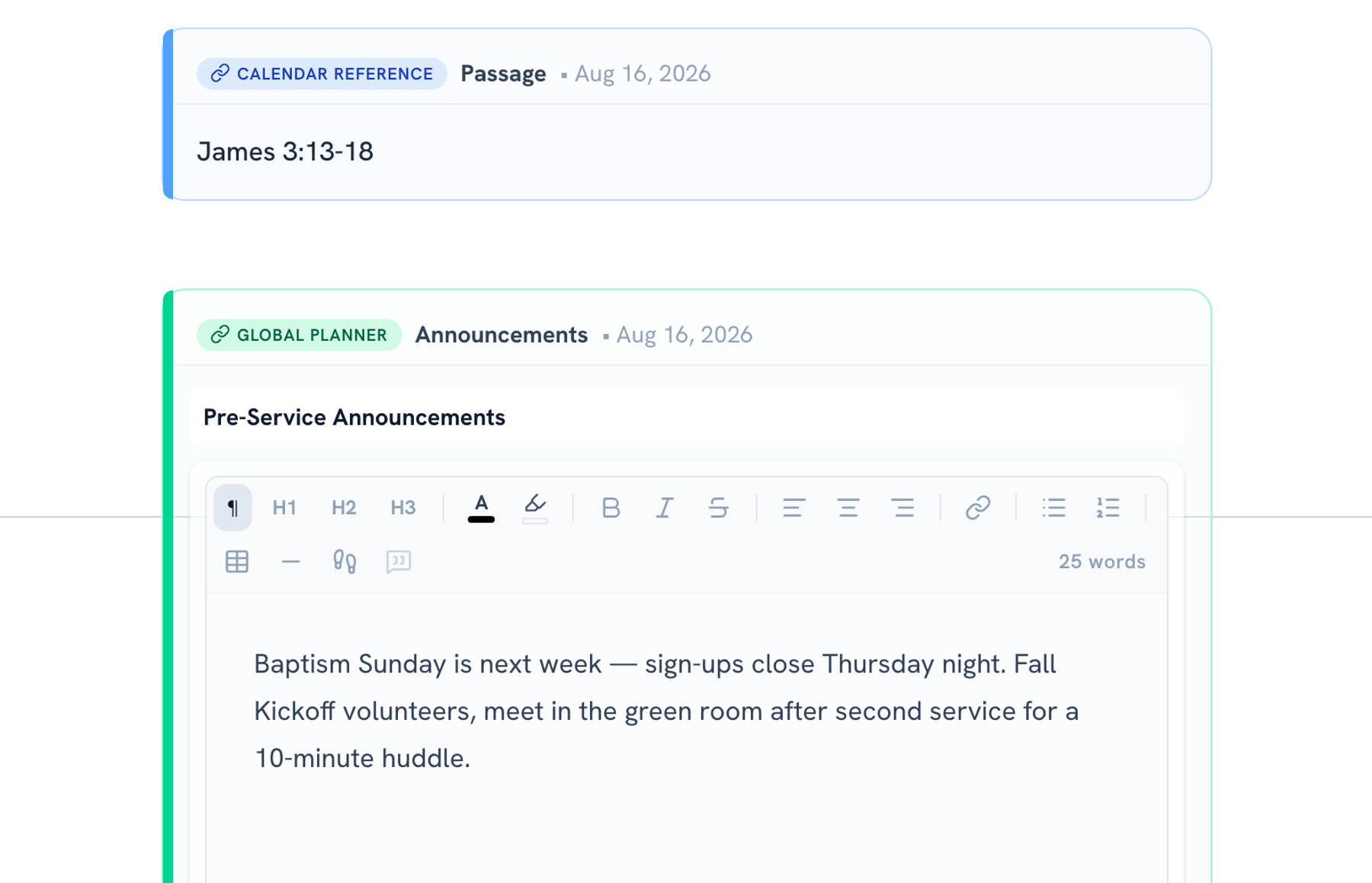
✓Reference blocks pull passage and service data automatically
✓Writable blocks sync your edits back to the service planner
✓Everything stays current as the plan changes
✓Perfect for run sheets and Sunday prep notes
See planner blocks live →
Sunday Notes — Aug 16
Live service planner blocks embedded in a church document: a calendar reference block showing the Sunday passage and a writable announcements block that syncs edits back to the service planner
MAGIC LINKS

Share with anyone — no login required.

Every document gets a volunteer magic link. Recipients view it instantly without creating an account — ideal for handbooks, safety policies, or agendas you need to distribute widely. Teammates get access with a toggle.
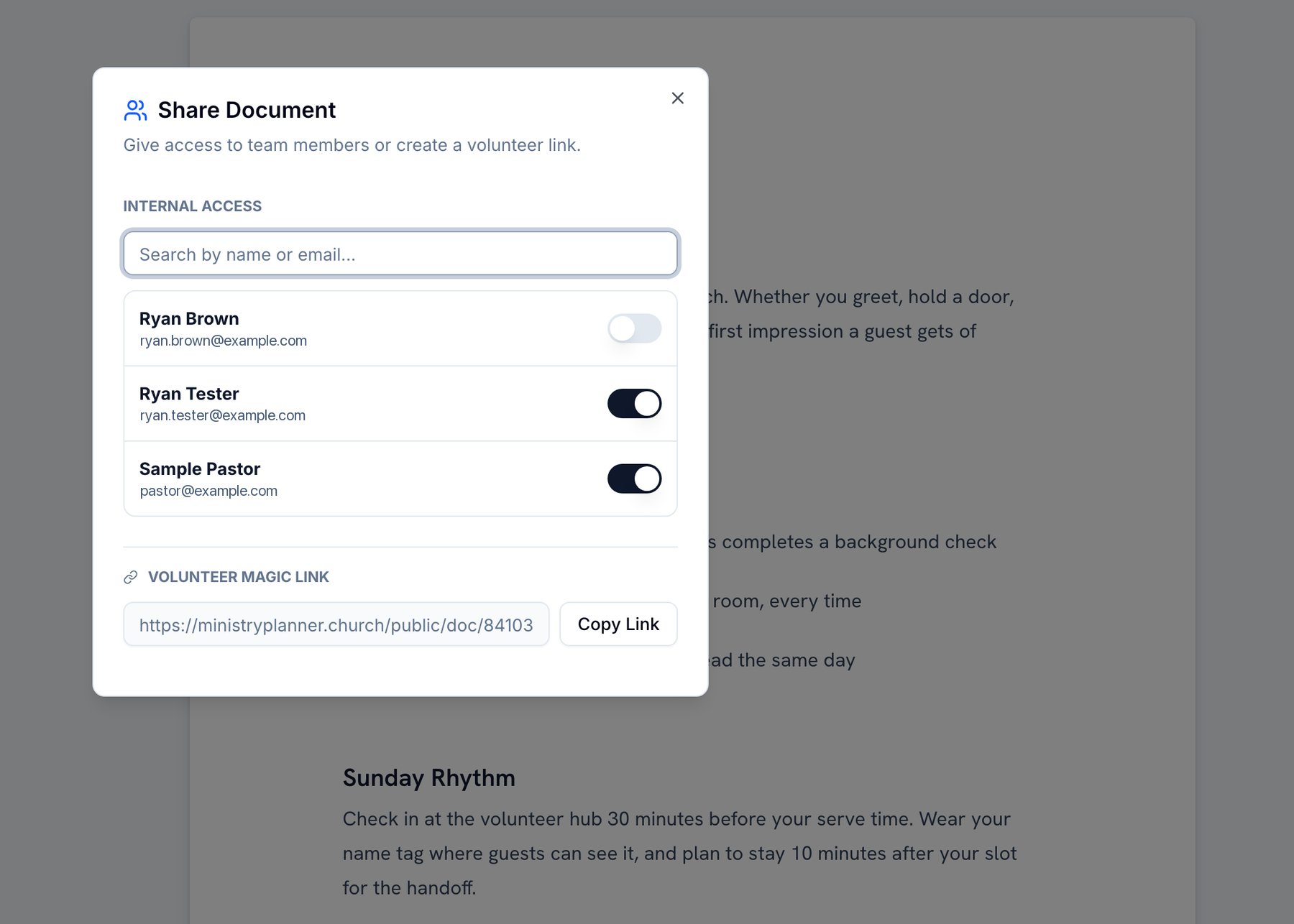
✓Magic link ready to copy for any document
✓Volunteers view without logging in
✓Per-person access toggles for your team
✓Perfect for handbooks, policies, and agendas
See magic links live →
Share · Volunteer Handbook 2026
Church document sharing dialog: per-person access toggles for team members and a volunteer magic link that lets anyone view the handbook without logging in
MEETING NOTES

Meetings that actually produce action.

Structured meeting notes with topics, agendas, and a key-decisions column — so what got decided never gets re-litigated. Save the format as a template and reuse it every week.
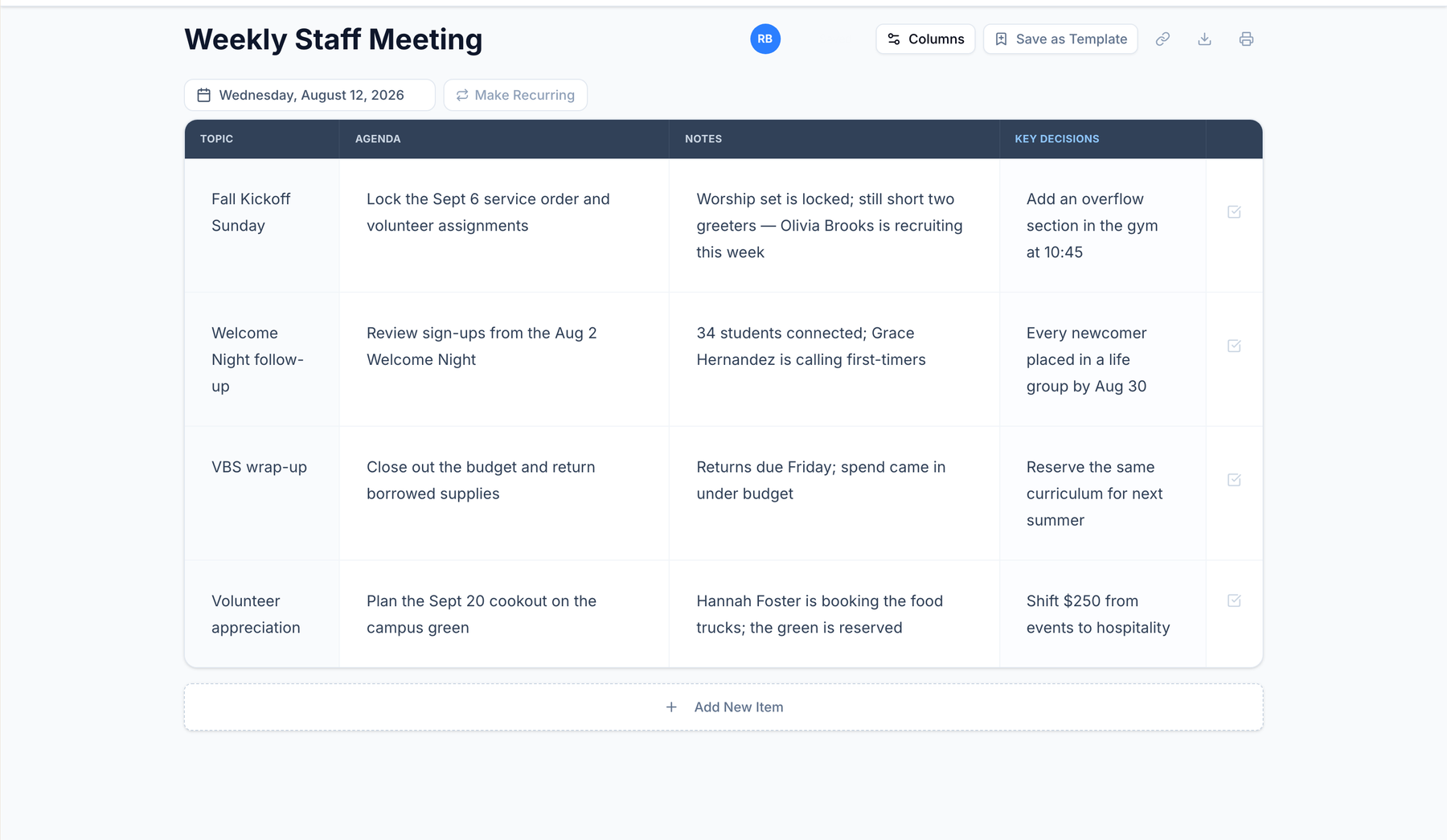
✓Topic, agenda, notes, and key-decision columns
✓Save any meeting as a reusable template
✓Recurring meetings spin up the next instance in one click
✓Print or export when someone wants paper
See meeting notes live →
Campus Life · Weekly Staff Meeting
Structured church staff meeting notes: a table doc with topic, agenda, notes, and key-decision columns covering fall kickoff, welcome night follow-up, VBS wrap-up, and volunteer appreciation
ORGANIZED LIBRARIES

A library that keeps every doc findable.

Policies in one folder, staff meetings in another, VBS plans in a third. Your document library keeps drafts, folders, and recent files organized — and every team gets its own docs hub too.
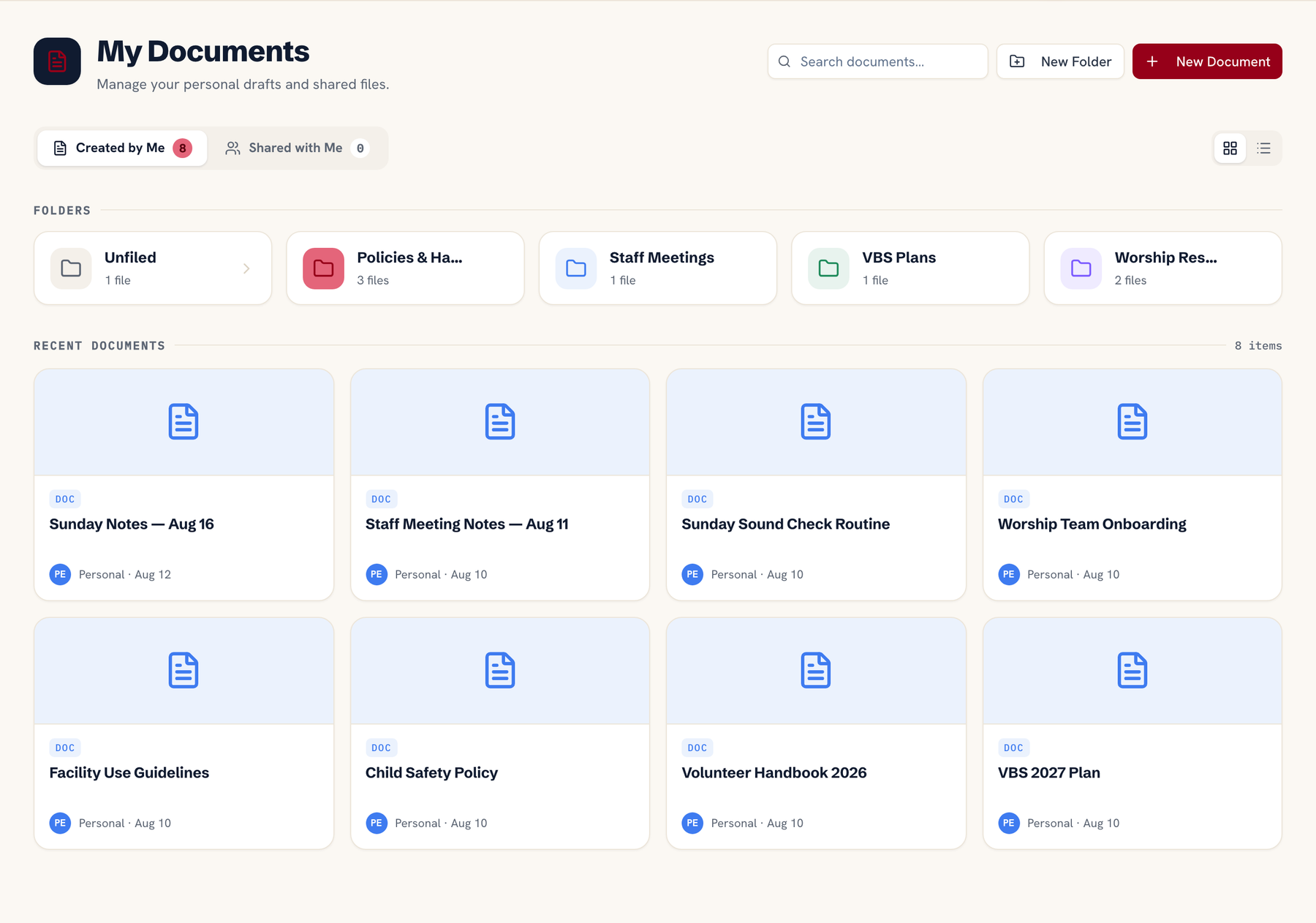
✓Color-coded folders for policies, meetings, and plans
✓Search across all of your documents
✓Recent documents surface what you touched last
✓Docs shared with you collect in one place
See team libraries live →
My Documents
Organized church document library: color-coded folders for policies, staff meetings, VBS plans and worship resources above a grid of recent documents with search

Explore more

See what else Ministry Planner can do.

Planning Workflow

Build your Sunday service plan from scratch to stage.

Team Hubs

A focused workspace for every ministry.

Start writing together.

Set up your first document in minutes.

Get started See live demo

One flat price for your whole team · Cancel anytime · Set up in an afternoon

Ministry PlannerMinistry Planner

Where church staff plan, coordinate, and prepare for every Sunday — alongside the tools you already use.

Product

  • Features
  • Pricing
  • Free Tools
  • How it works
  • Live Demo

For Your Team

  • Lead & Teaching Pastors
  • Worship Directors
  • Operations Pastors
  • Volunteer Coordinators
  • Kids & Groups Leaders

Company

  • About
  • Contact
  • Blog

Legal

  • Privacy
  • Terms
  • Security
© 2026 Jethro Software LLC, d/b/a Ministry PlannerPrivacyTerms